

Hide cell contents
Contents
Hide cell contents#
You can use Jupyter Notebook cell tags to control some of the behavior of the rendered notebook.1
Hide code cells#
You can use cell tags to control the content hidden with code cells at the cell level. Add the following tags to a cell’s metadata to control what to hide in code cells:
hide-inputtag to hide the cell inputshide-outputto hide the cell outputshide-cellto hide the entire cell
For example, we’ll show cells with each below.
Here is a cell with a hide-input tag. Click the “toggle” button to the
right to show it.
Show code cell source
# This cell has a hide-input tag
fig, ax = plt.subplots()
points =ax.scatter(*data, c=data[0], s=data[0])
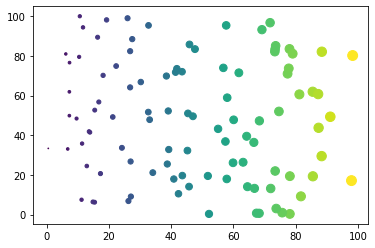
Here’s a cell with a hide-output tag:
# This cell has a hide-output tag
fig, ax = plt.subplots()
points =ax.scatter(*data, c=data[0], s=data[0])
Show code cell outputs
And the following cell has a hide-cell tag:
Show code cell content
# This cell has a hide-cell tag
fig, ax = plt.subplots()
points =ax.scatter(*data, c=data[0], s=data[0])
You can control the hide/show prompts by using the code_prompt_show and code_prompt_hide configuration options.
{type} will be replaced with content, source, or outputs, depending on the hide tag.
See the Configuration section for more details.
```{code-cell} ipython3
:tags: [hide-cell]
:mystnb:
:  code_prompt_show: "My show prompt"
:  code_prompt_hide: "My hide prompt"

print("hallo world")
```
My show prompt for content
print("hallo world")
hallo world
Hide markdown cells#
You cannot hide an entire markdown cell, but you can hide sections of markdown content by using roles and directives.
For information on how to hide / toggle markdown content in Sphinx, see either the sphinx-togglebutton documentation or the sphinx-design dropdowns documentation.
Remove parts of cells#
Sometimes, you want to entirely remove parts of a cell so that it doesn’t make it into the output at all.
To do this at the global level, use the nb_remove_code_source or nb_remove_code_outputs configuration options, or at a per-file level, e.g.
---
mystnb:
  remove_code_source: true
  remove_code_outputs: true
---
See the configuration section for more details.
At a per-cell level you can use the same tag pattern described above,
but with the word remove_ instead of hide_. Use the following tags:
remove-inputtag to remove the cell inputsremove-outputto remove the cell outputsremove-cellto remove the entire cell
Here is a cell with a remove-input tag. The inputs will not make it into
the page at all.
Here’s a cell with a remove-output tag:
# This cell has a remove-output tag
fig, ax = plt.subplots()
points = ax.scatter(*data, c=data[0], s=data[0])
And the following cell has a remove-cell tag (there should be nothing
below, since the cell will be gone).
- 1
This notebook can be downloaded as
hiding.ipynbandhiding.md